IRON FORGED
1 / 1
Iron Forged crest
IRON FORGED
Coaching
The coaching app you sketched out, built into the real thing.
Prepared for Jonathan Rodgers
Where you are now

Two tools fighting you, and a spreadsheet that breaks.

"Notion is giving me hell at the minute. The weigh-in averages sheet is glitched for literally everyone."

Your words, on the call

Doing weekly averages by hand for every client "takes the piss." The one number you coach by, and it is manual.

Notion pain

Trainerize goes down mid-session. Clients lose last week's weights, stress out, message you. There is no RIR box anywhere.

Trainerize pain
Your side

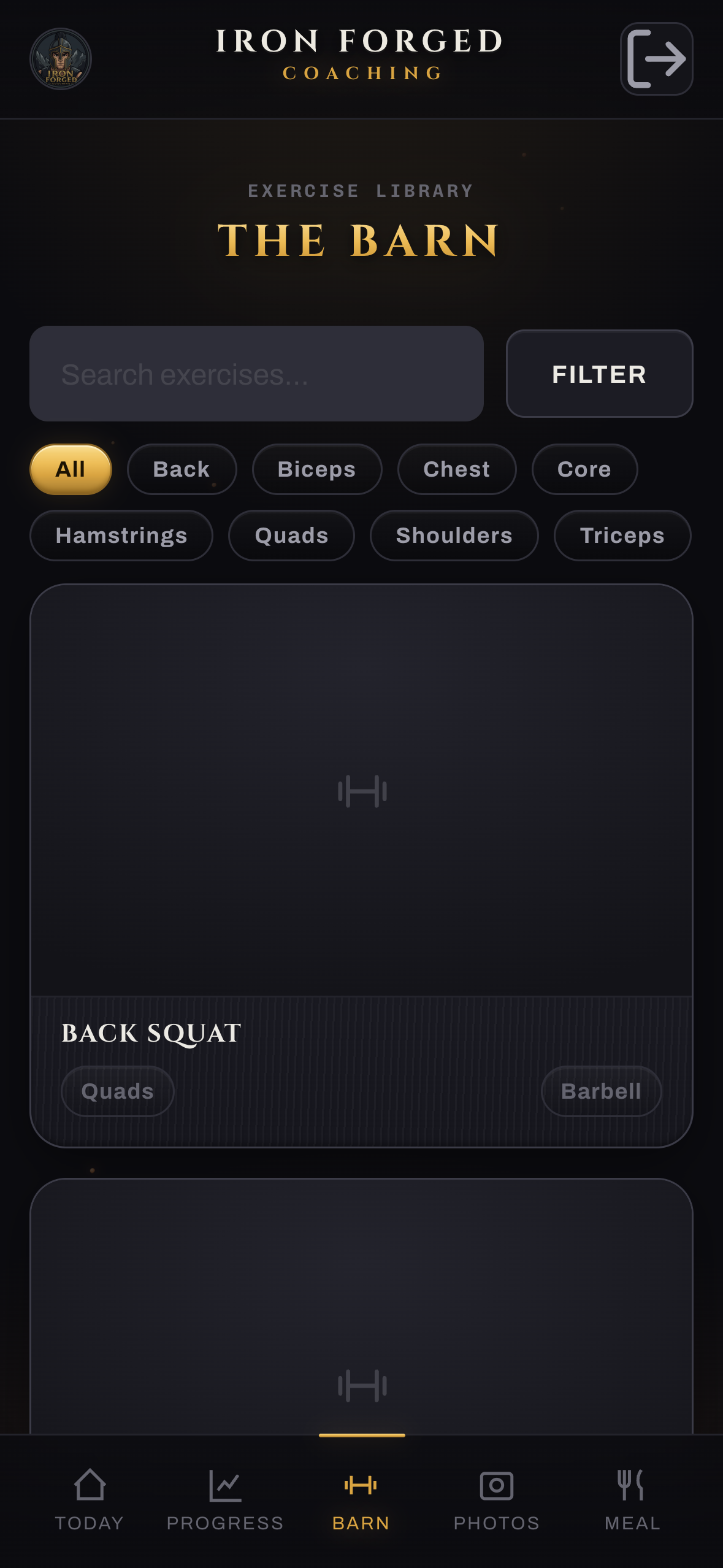
Everything about every client, on one screen.

Built for your laptop, where you actually coach from. Edit a programme and it is live on their phone that second. No more jumping between Trainerize and Notion.

Your side / Dashboard

You open it and it tells you who needs you.

  • Needs attention queue surfaces the clients to act on first.
  • Recent activity across everyone: workouts, weigh-ins, food, photos.
  • A calm home base, not a wall of menus.
Coach dashboard
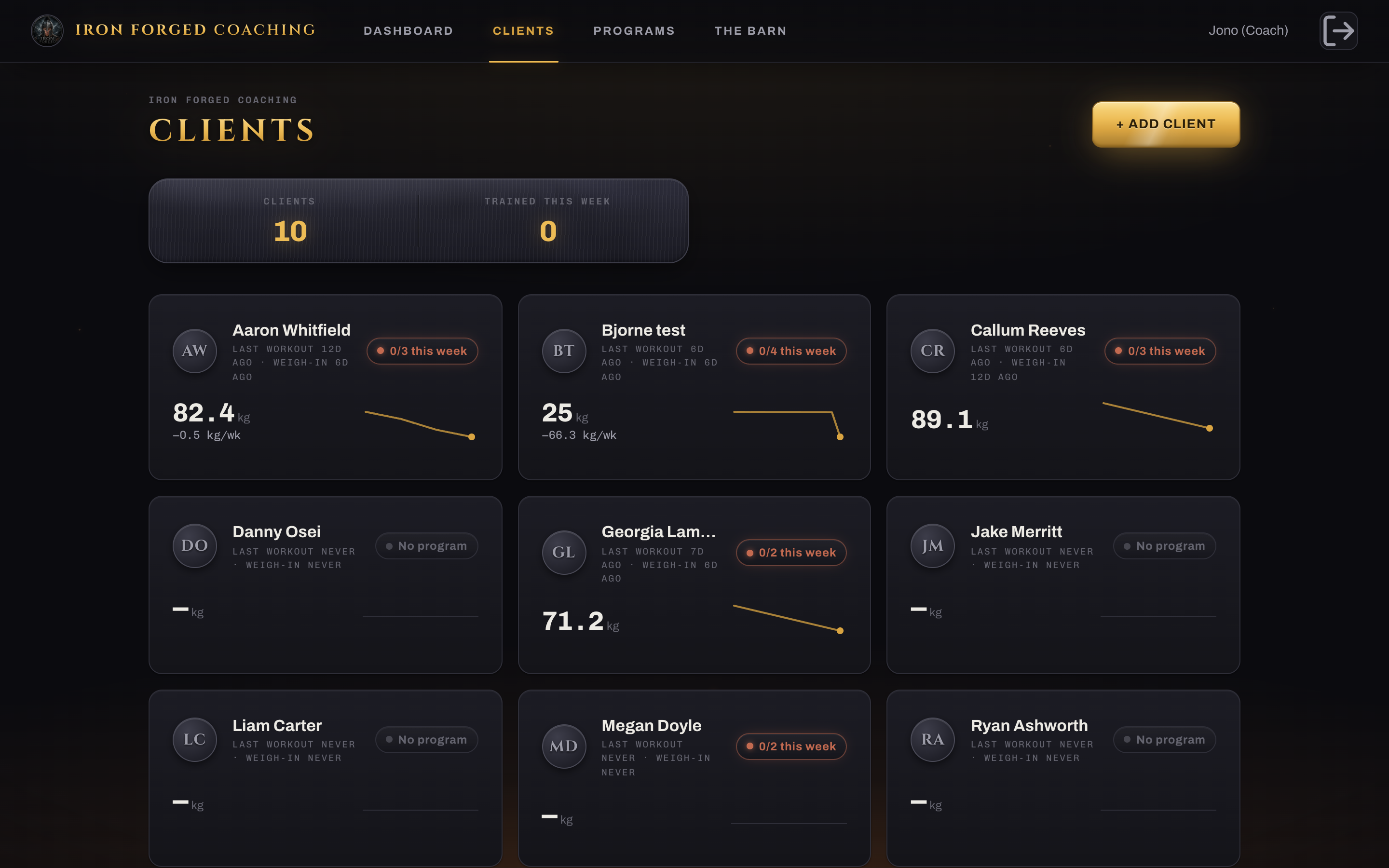
Coach roster
Your side / Clients

Five seconds to read the whole roster.

  • A compliance chip per client (4 of 4 sessions this week).
  • A weight sparkline and trend so movement jumps out.
  • The amber "form clips in" chip, the idea you texted me Tuesday, live that evening.
Your side / A client

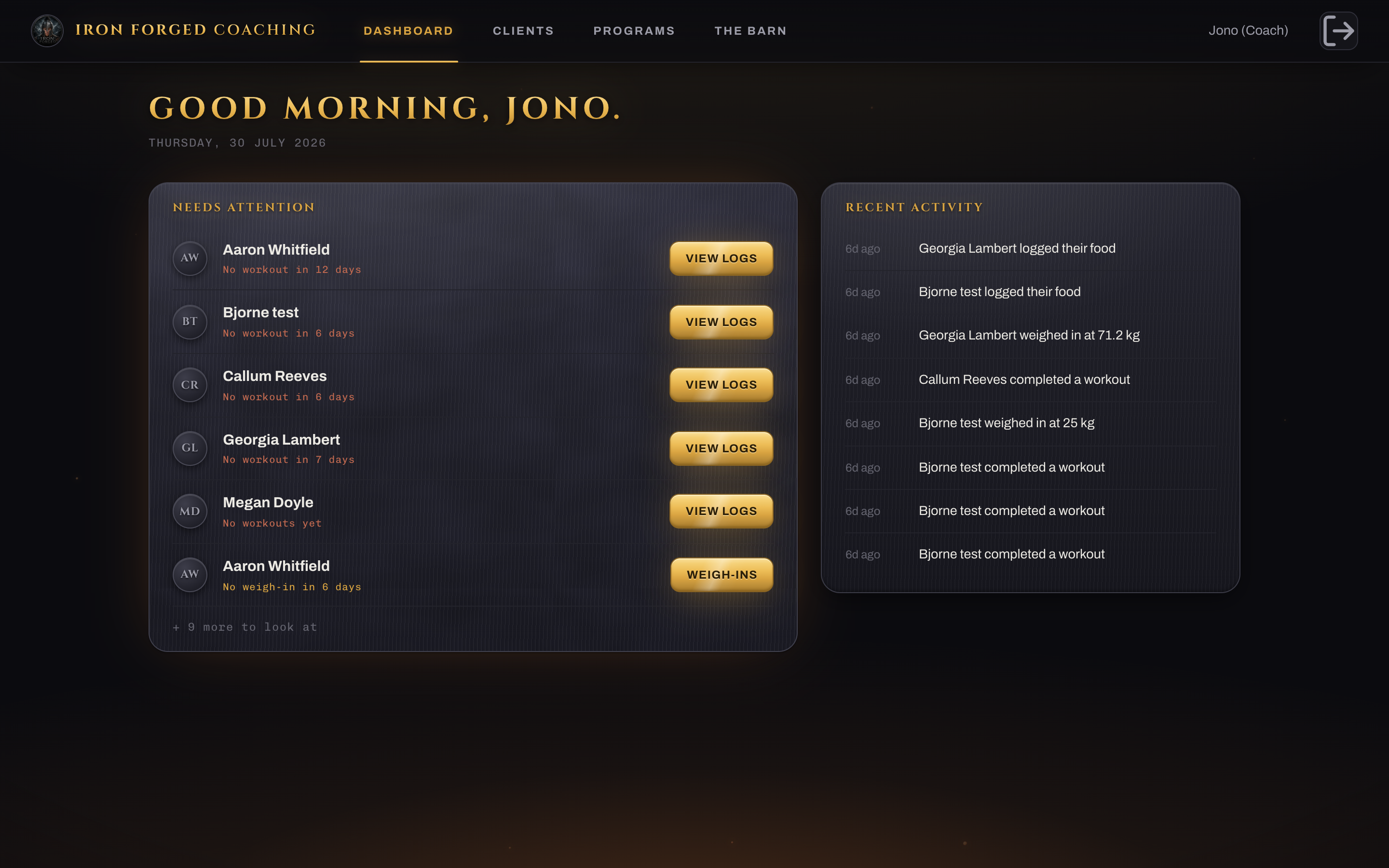
One tap in, and it is all here.

  • Their programme, food, weigh-ins, photos, notes, in one place.
  • An 8-week weight chart with a close-up trend line that actually reads.
  • Goals and history without opening a second app.
Client overview
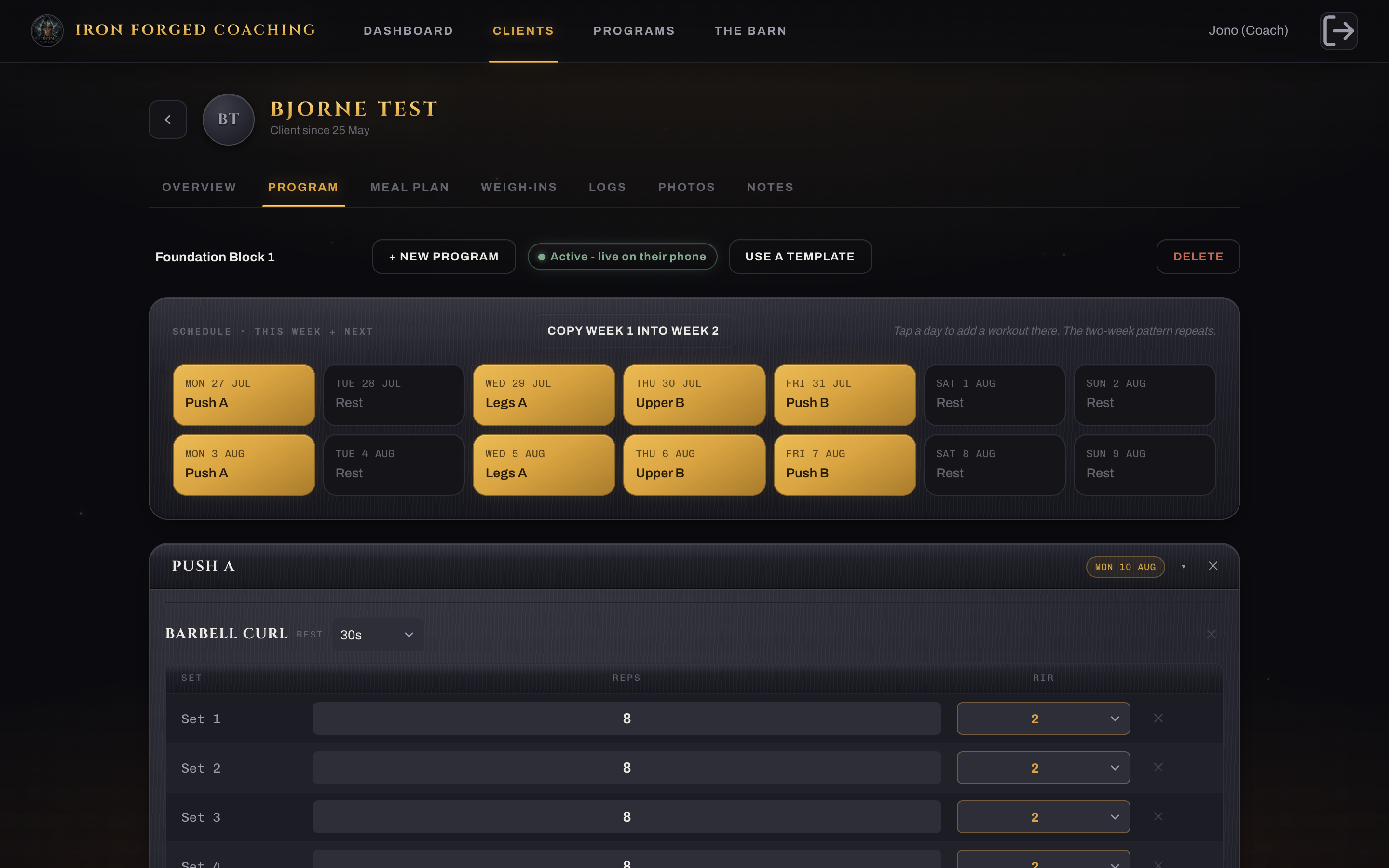
Program builder with RIR
Your side / Programme

The RIR box Trainerize never gave you.

  • A real reps-in-reserve target per set, not shoehorned into a notes box.
  • Paint the calendar to build the split: rest-repeat rotations, A and B blocks.
  • Change a weight here, it is on their phone instantly.
Your side / Weigh-ins

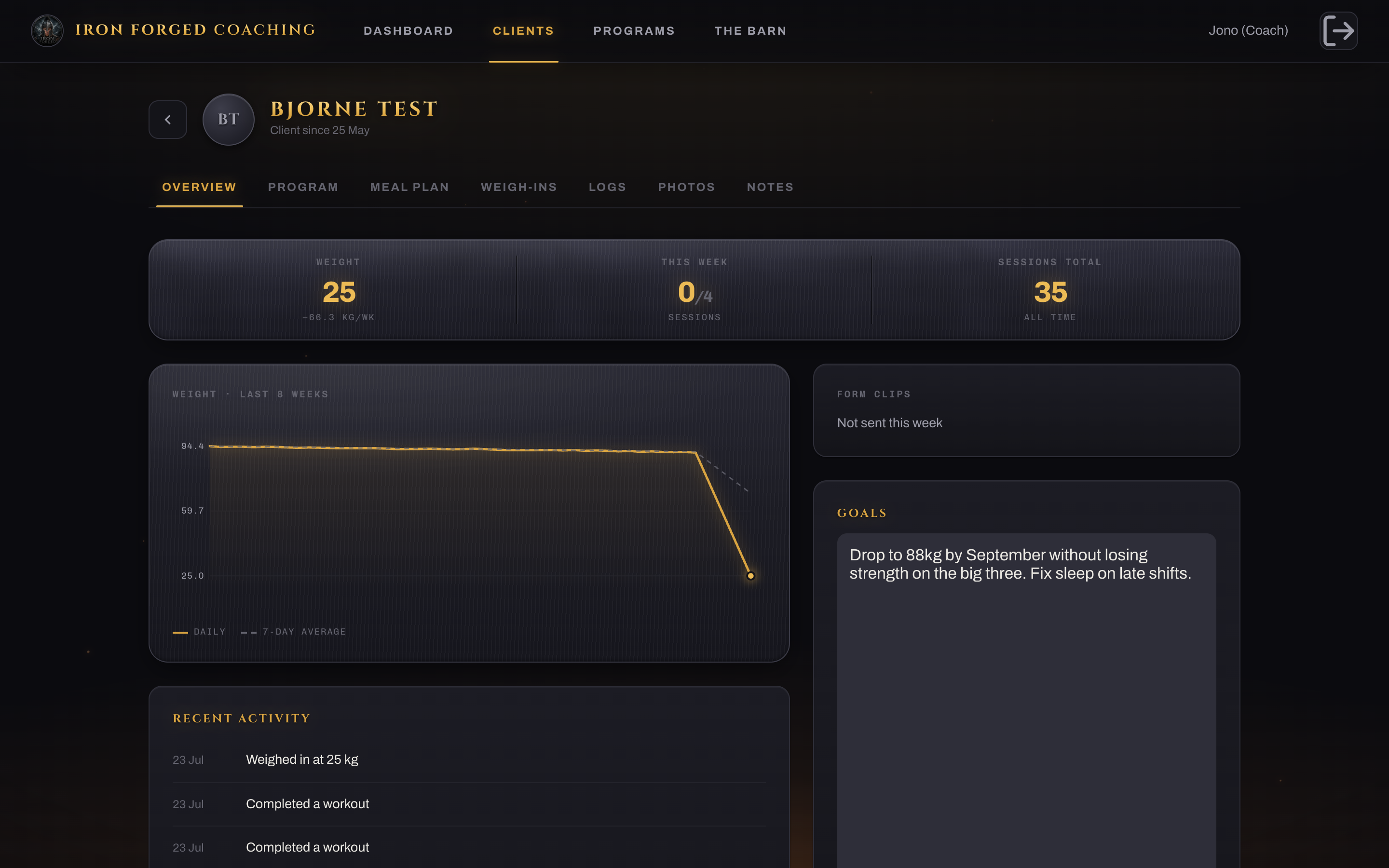
Your broken Notion sheet, automated.

  • The weekly average, week versus week, with the delta per week. The number you manage clients by.
  • Calculated for every client, every week, with zero manual maths.
  • The same figure shows on the roster chip, so nothing ever disagrees.
Weekly weigh-in averages
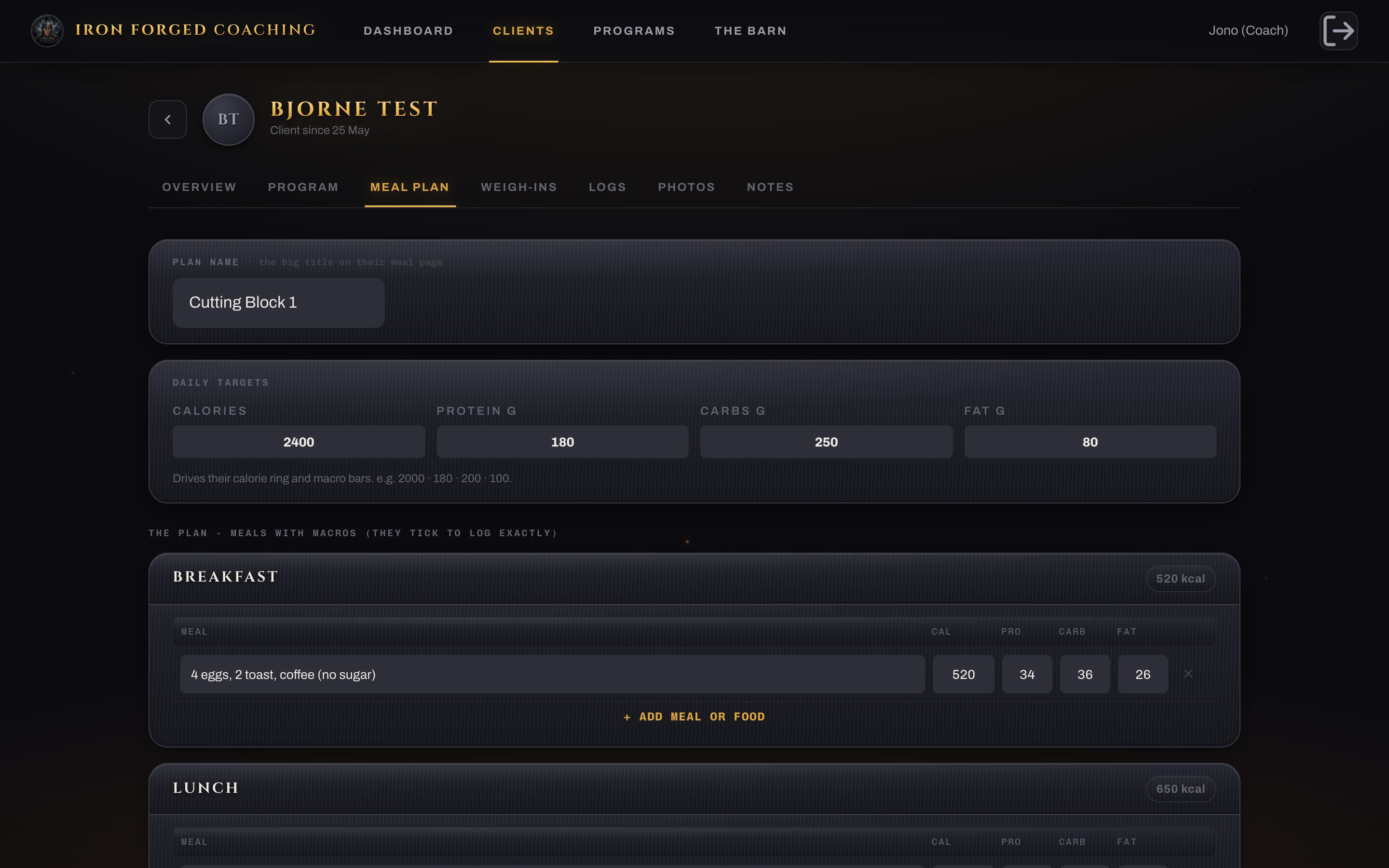
Meal plan builder
Your side / Nutrition

Macro targets and a plan they can actually follow.

  • Set kcal and macro targets, build the plan meal by meal.
  • See their food diary underneath, day by day against target.
  • No MyFitnessPal-only lock-in, and no screenshots from Costa Rica.
Your side / Photos

Compare week 1 to week 8 with a slider.

  • Unlimited weekly uploads, not Trainerize's three at a time.
  • Drag the divider to see the change land.
  • Private by design, served only on short-lived links.
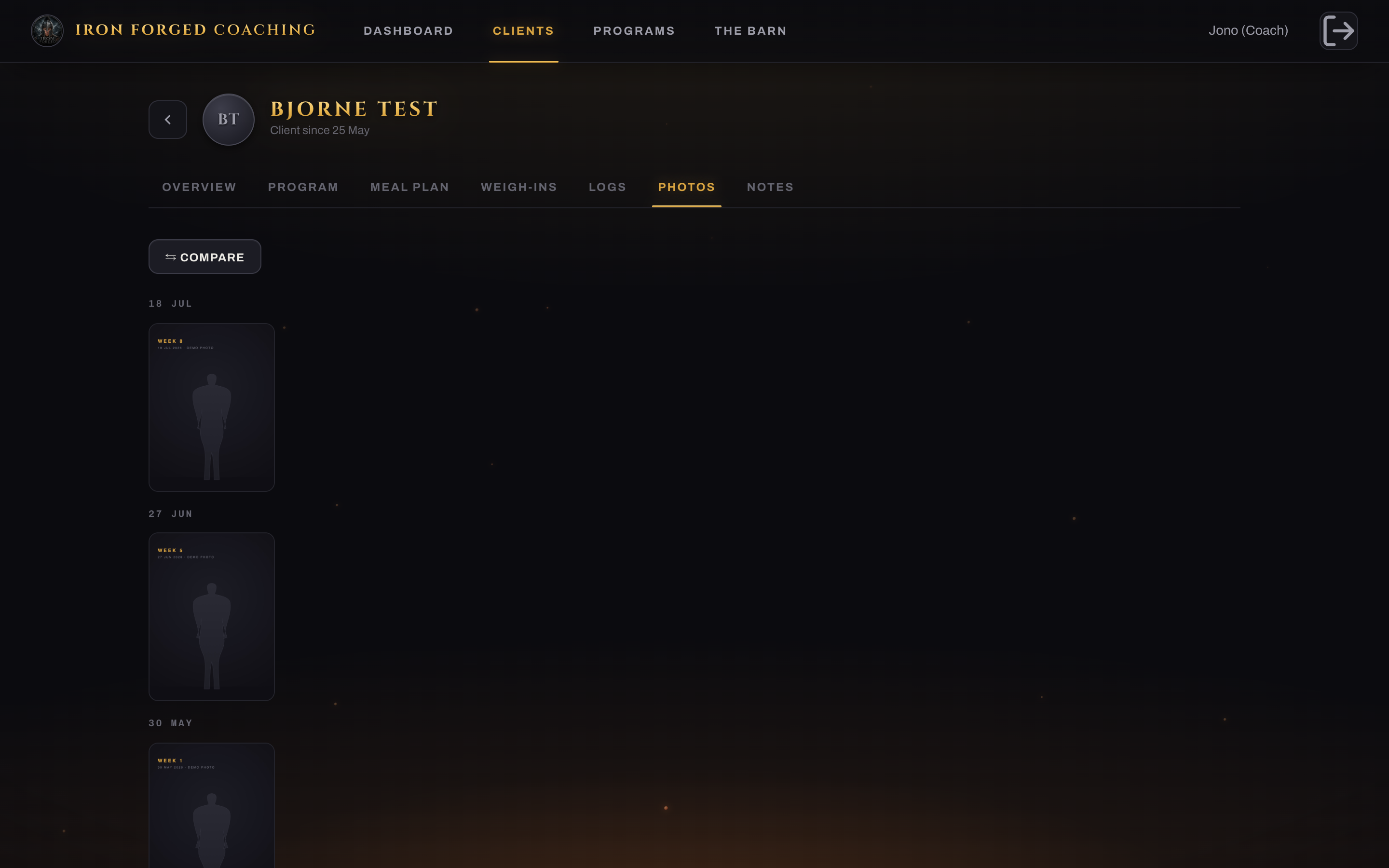
Photo compare
Your side / And the rest

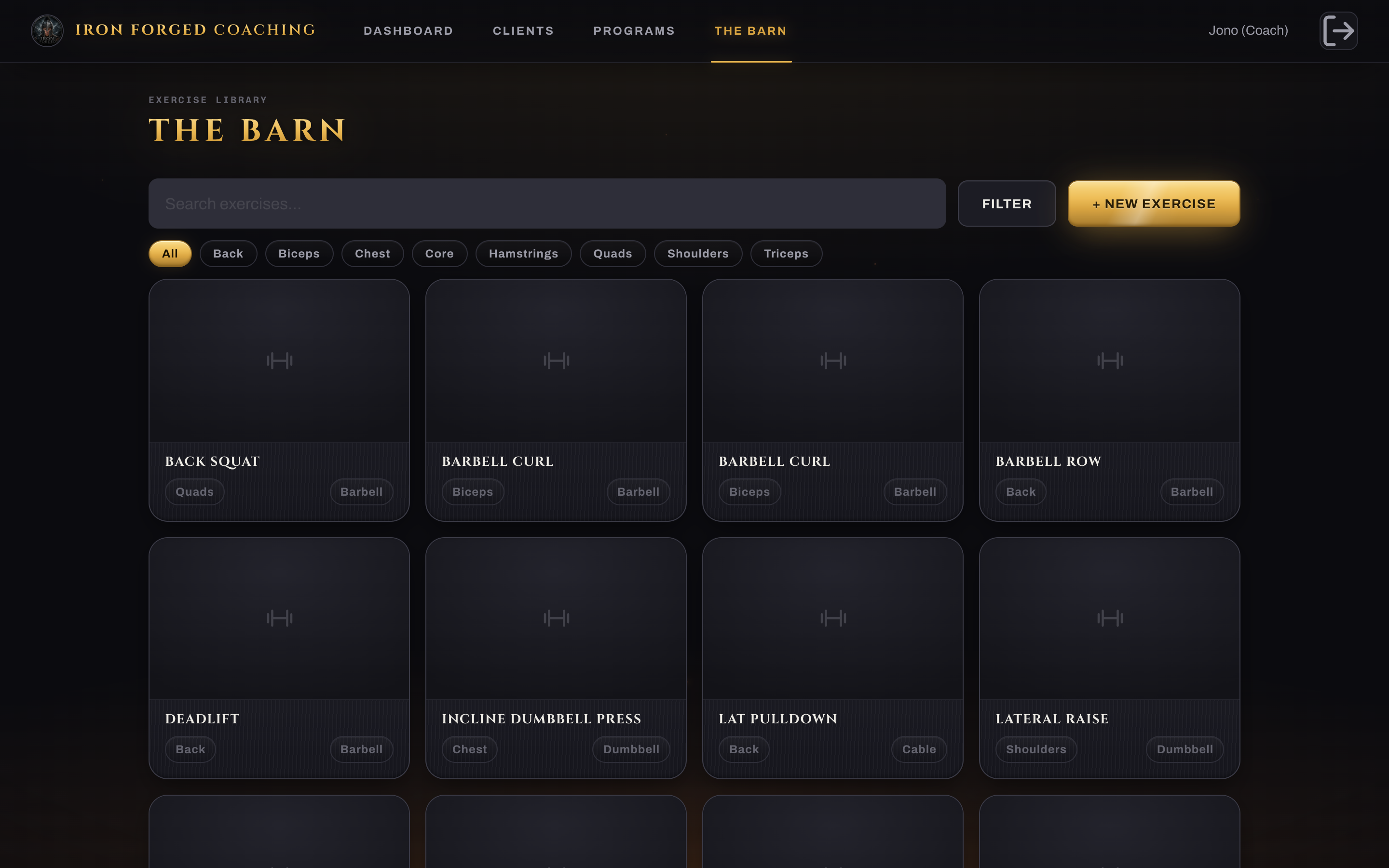
Logs, notes, your exercise library, templates.
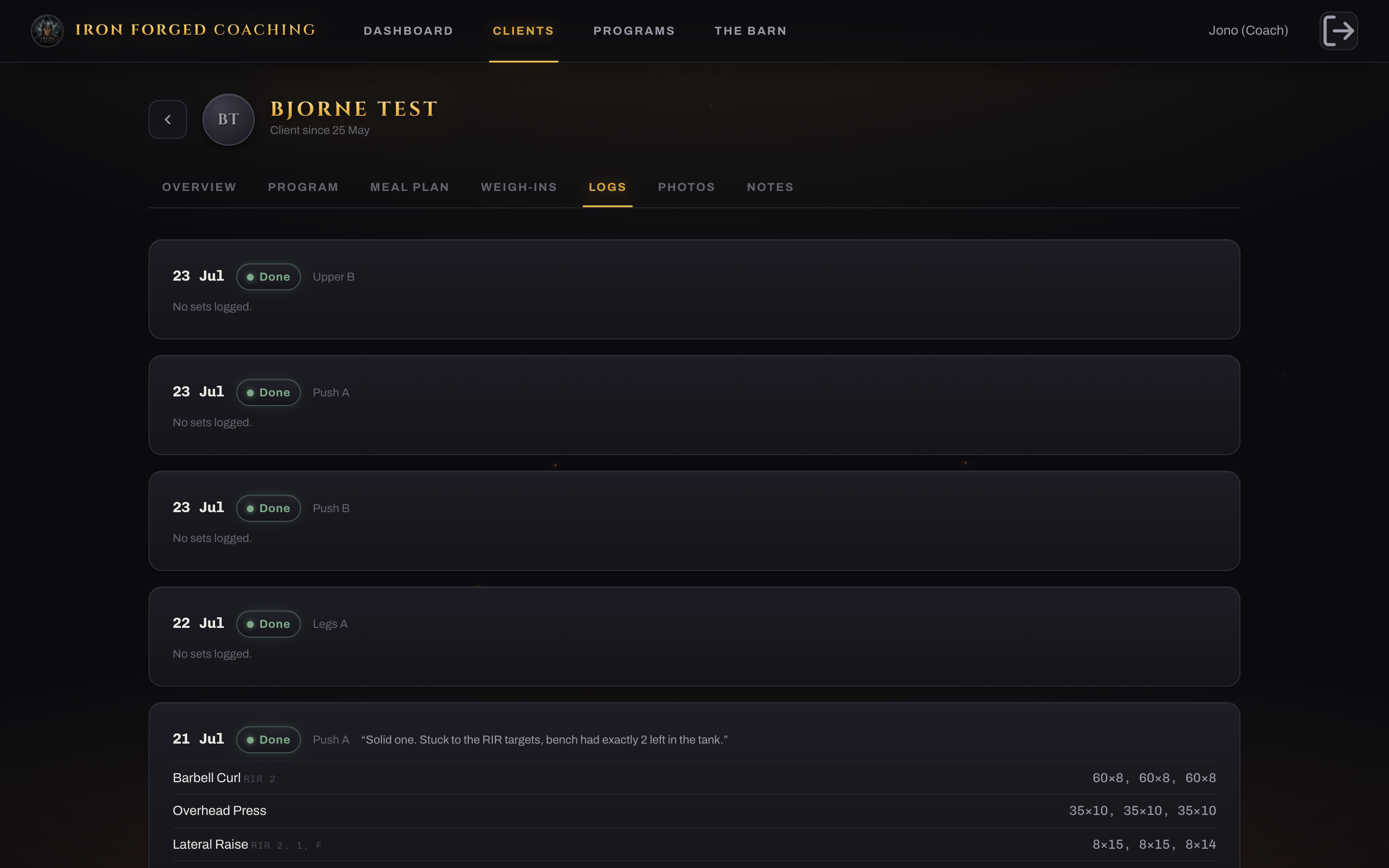
Logs and notes
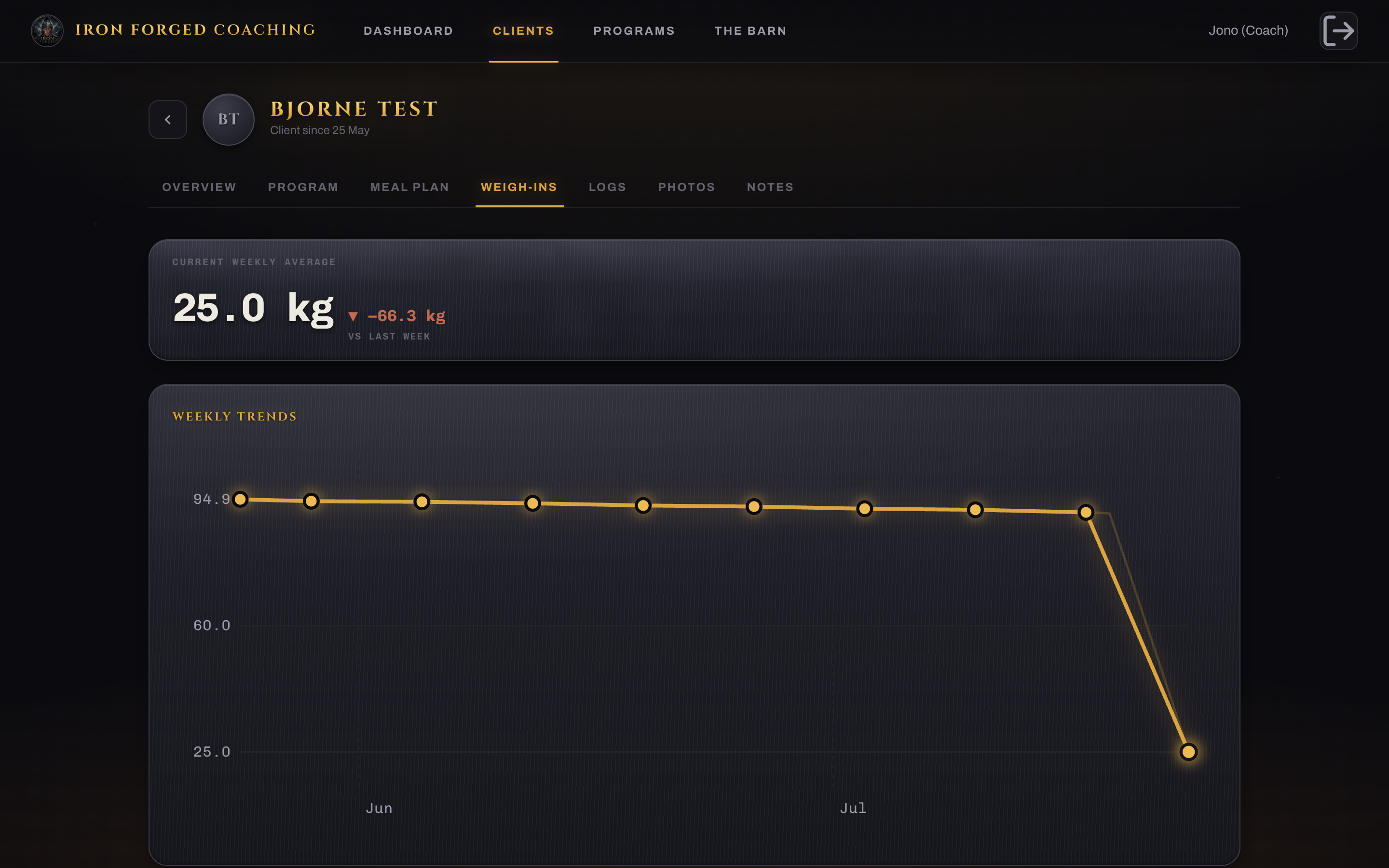
The Barn exercise library
Their side

Installs on their phone like a proper app.

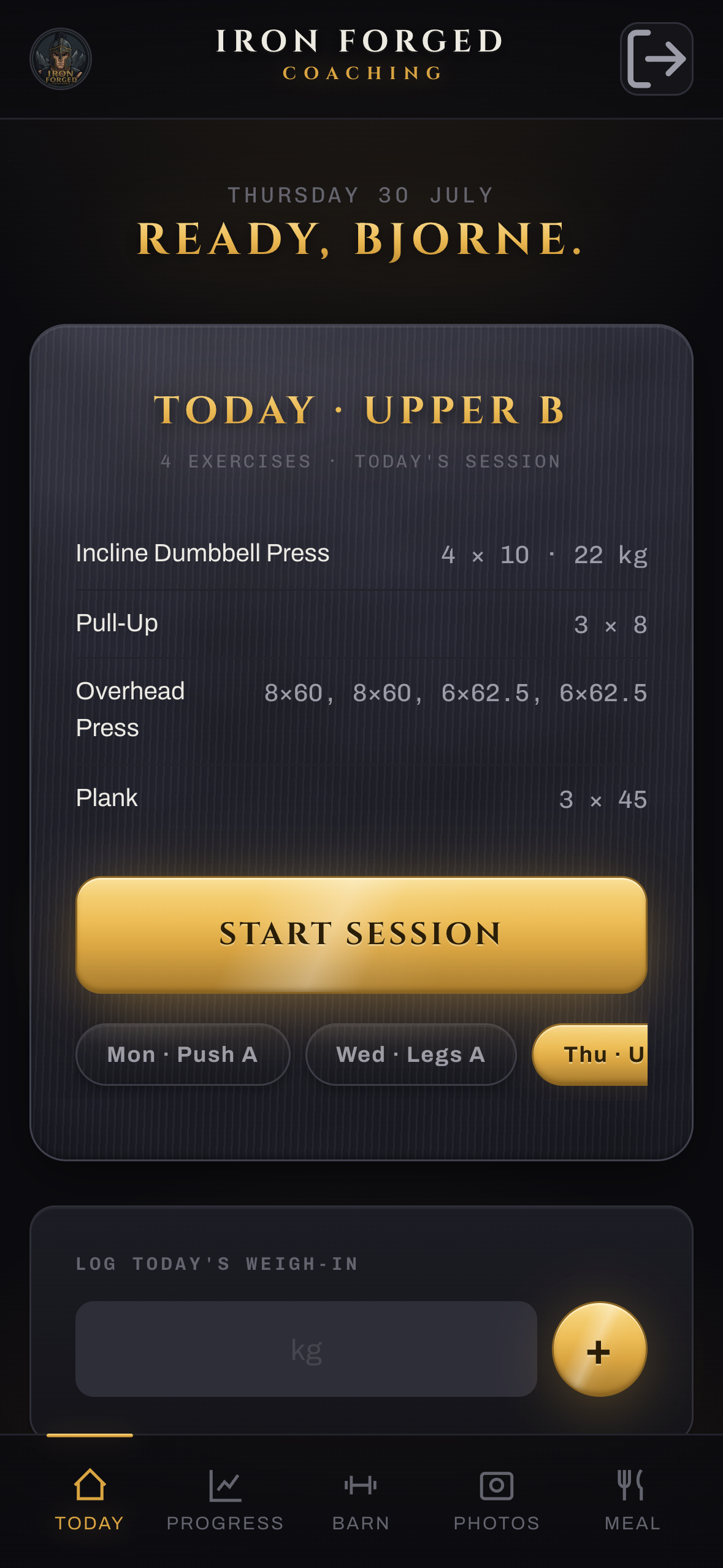
Your crest on the home screen. Today's session front and centre, one tap to start, logging a set takes two seconds and it remembers what they lifted last time.

Client Today
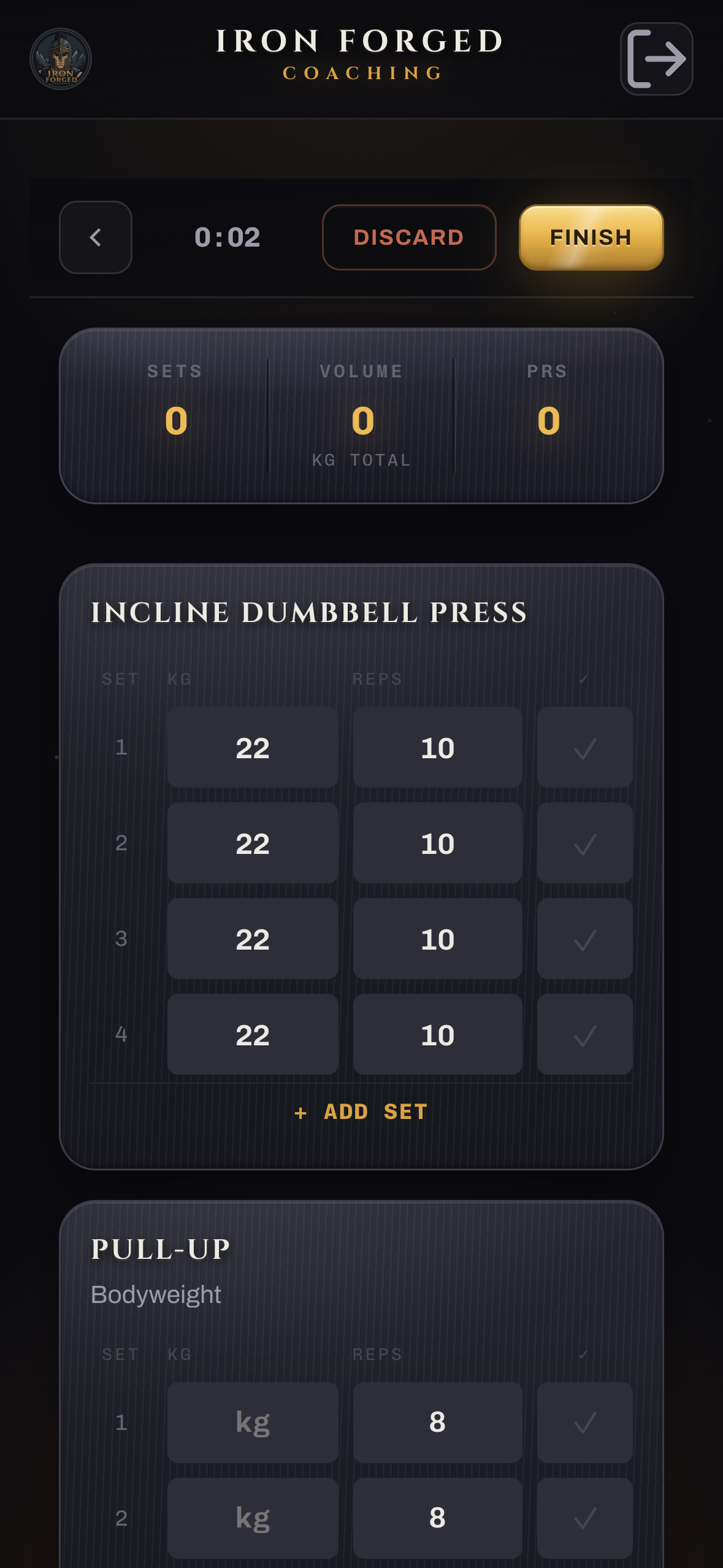
Workout player
Their side / Training

Two taps and they are training.

  • Sets pre-filled from last time, with your RIR target under each one.
  • Rest timer, and it spots a PR automatically and celebrates it.
  • Works offline: the gym wifi dying never loses a set again.
Their side / Progress and food

Their numbers, the same ones you see.

  • The Ledger: volume, streak, and their weekly weight average.
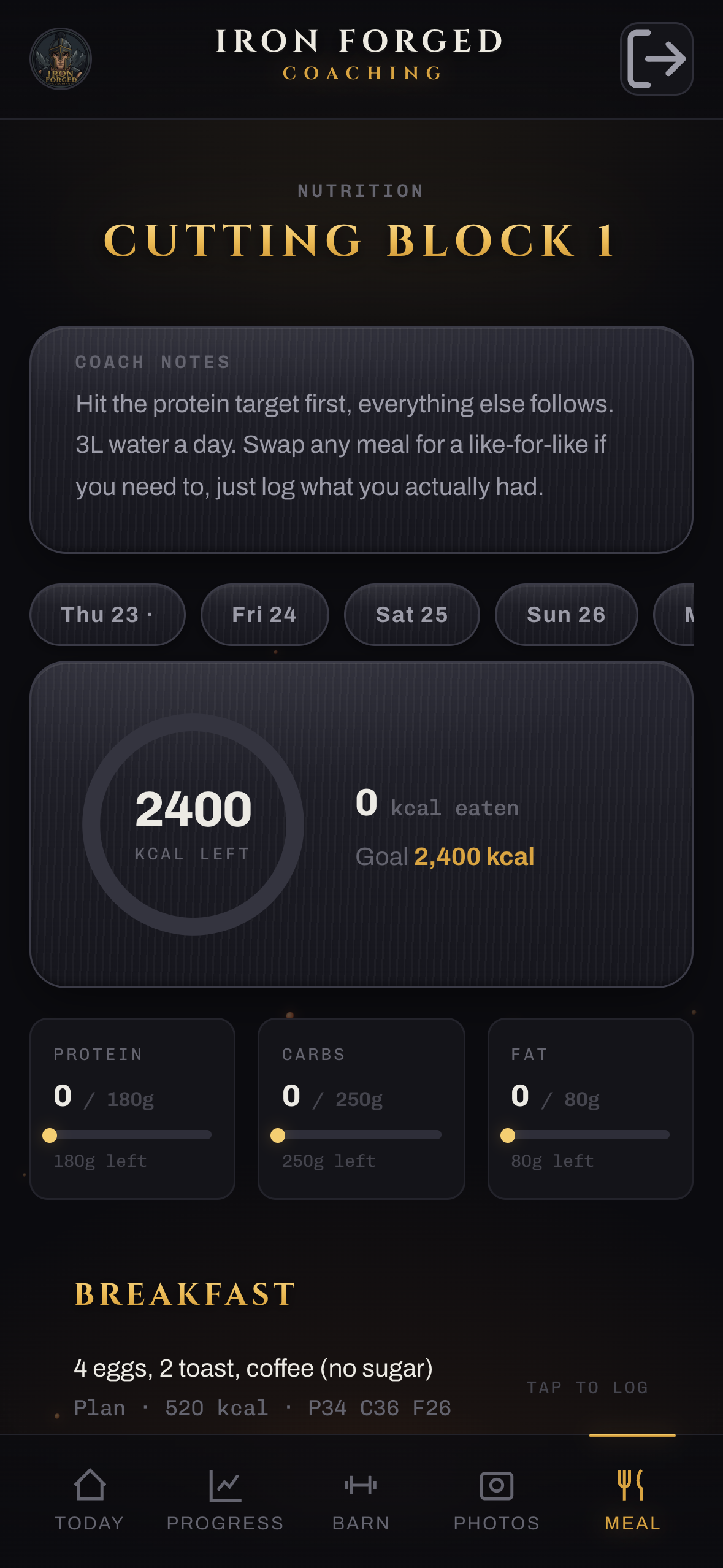
  • A calorie ring and macro bars: tick your plan, or scan a barcode.
  • Snap a nutrition label and it reads the numbers off it.
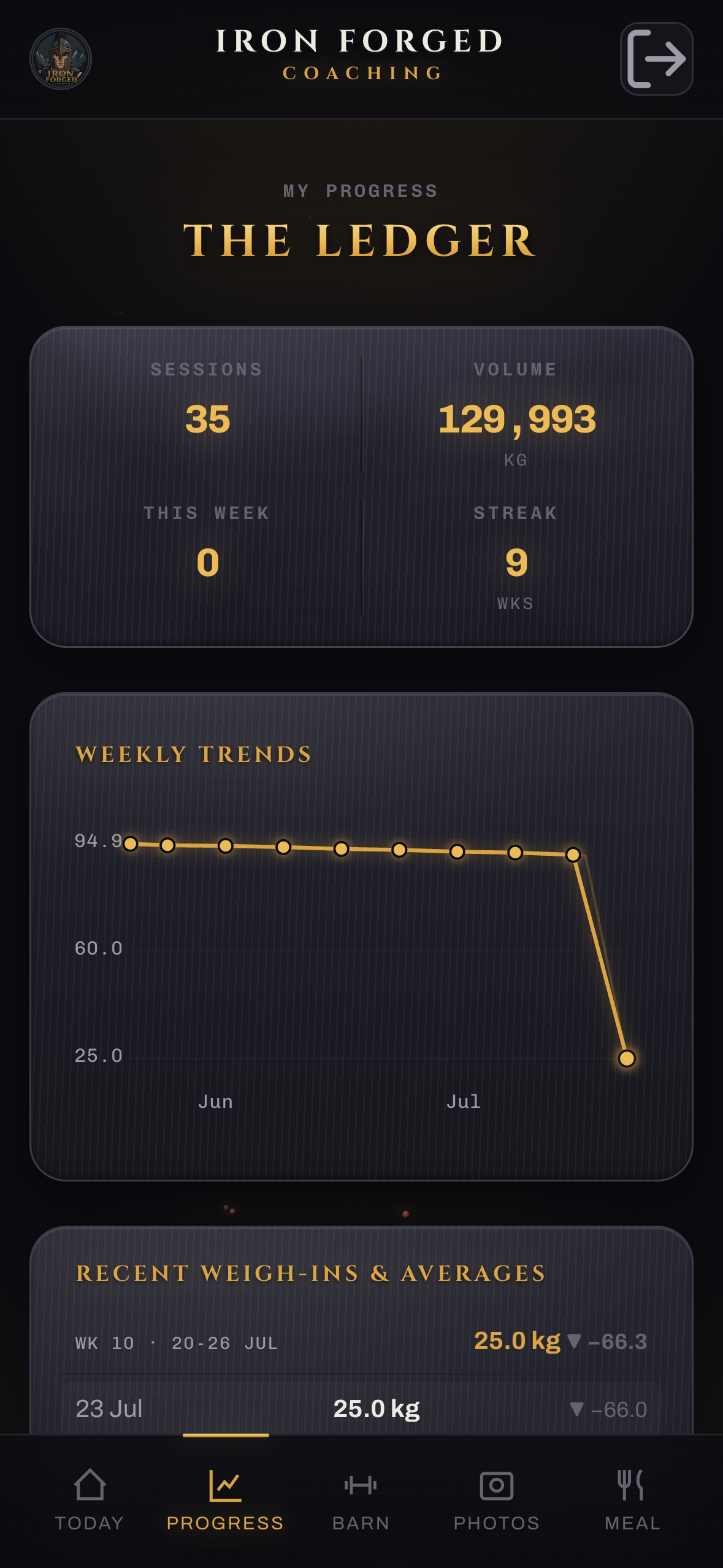
The Ledger
Meal ring
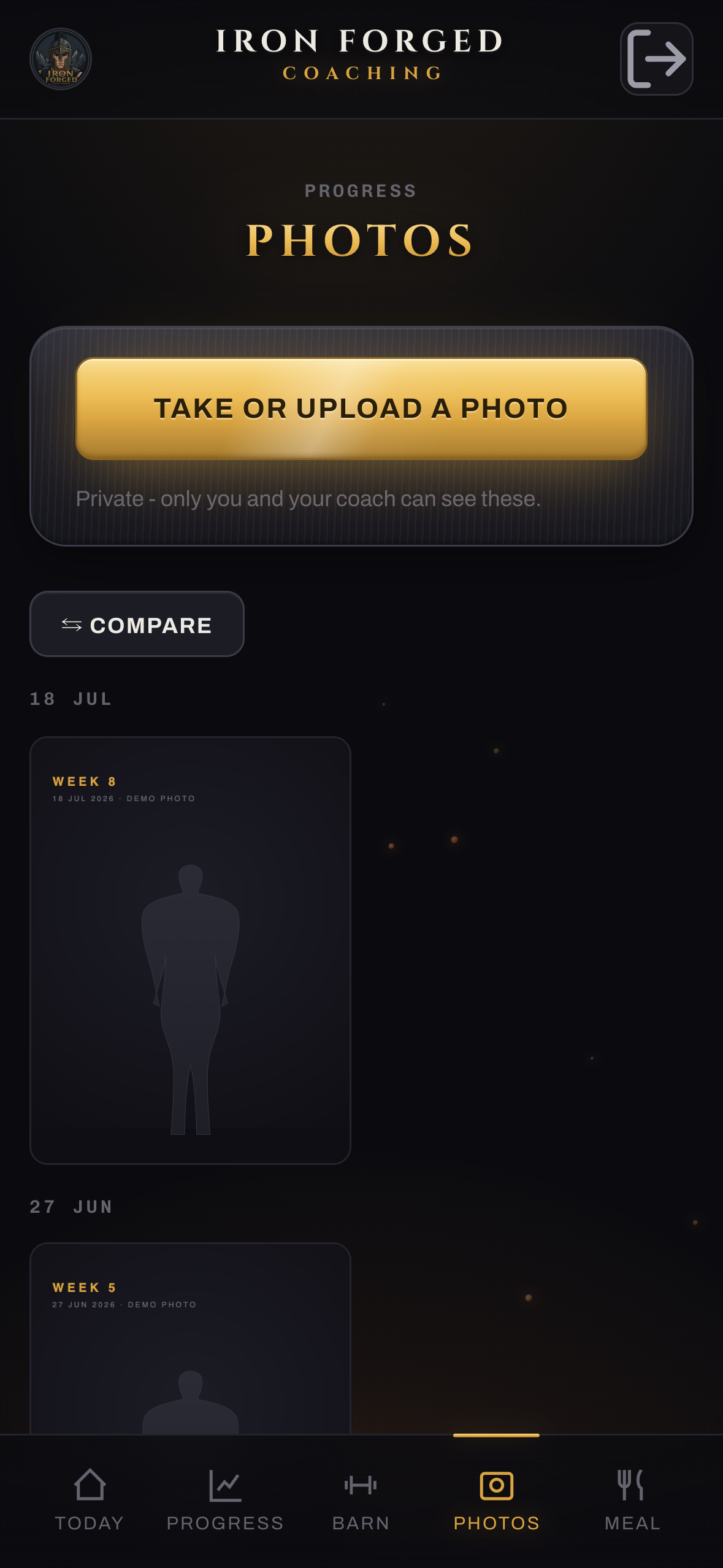
Client photos
Client exercise library
Their side / More

Progress photos and every exercise, in their pocket.

  • Weekly progress photos with the same compare slider you get.
  • Your video library, so they see exactly how you want it done.
  • Reminders nudge them, even with the app closed.
Everything you asked for

You said it on the call. It's in.

You said

RIR per set

A real intensity target on every set, front and centre in the player.

You said

Weekly averages

Week versus week, automatic, the number Notion kept breaking.

You said

Your own videos

Film on your iPhone, upload, it plays in their app.

You said

Flexible splits

Rest-repeat rotations and A/B blocks, painted on a calendar.

You said

Notes with training

Per-client notes live with the programme, no Notion split.

You said

Photos done right

Unlimited uploads and a compare slider, not three at a time.

You said

Food, no MFP lock-in

Built-in tracker, barcode scan, and a nutrition-label reader.

You said

Reliable logging

Works offline, remembers last session, never drops a set.

Your Tuesday text

Form-clip check-off

Track whose clips are in and reviewed, right on the roster.

Honest about what's next

Built now, and the road after go-live.

Push reminders, live

Nudges land on their phone with the app closed. Already built and running.

1

Daily accountability tracking

Steps, sleep, soreness, cravings, the recovery metrics you track in Notion. A paid add-on when you want it.

2

On the app stores

A real Play Store and App Store listing under your brand, once we are live. A paid phase-two add-on.

Your brand, everywhere

Iron Forged throughout. You said I nailed the theme, that carries into every future piece.

Your clients' data

Safe, and built to stay that way.

Your own private server. Iron Forged shares nothing with any other app or client.
Every client walled off. No client can ever see another's data. Audited and proven.
Photos are private. Served only on links that expire within the hour.
UK GDPR covered. A written data agreement between us, your clients' data handled properly.
Backed up every few hours, off-site. A lost phone loses nothing, logins are revocable.
Hardened edge. The server is locked down and patched, not a hobby setup.
A few things from you

Quick bits of setup, I walk you through each.

1

Your own domain

Buy your web address (about ten to fifteen pounds a year), on your account and card.

2

A Cloudflare account

Free. It hosts the app under your name. You give me access.

3

A GitHub account

Free. Where the code lives, in your name, I stay on as admin.

4

Login emails from you

A one-time Google approval so new-client logins send from your address.

Later, for the app stores: a Google Play account (one-off) and an Apple one (yearly), both under your brand. And tell me which food app each client uses so we bring their history across.

From yes to live

How we get your clients on it.

Week 1

Lock it down

Final security pass and the hard gate, before a single real client goes in.

Week 1 to 2

Bring your data across

Clients export their own weight and food history, we import it so nobody starts from zero.

Week 2

You test it

You live in it for a few days with real programmes before anyone else touches it.

Go-live

Your clients get logins

They install it, and Trainerize and the Notion sheet are history.

Your app, your business

Own it. Not rent it.

That is about £110 a month back in your pocket, close to half your current software bill, for a tool that is yours and does what Trainerize never will.

  • Hosting, backups and your own server
  • Support, fixes and new features
  • Your brand, your data, your app
£750 setup
then £150 / month
Get started

Secure checkout by Stripe

Built by Evans Automations